Back to Blog


Guides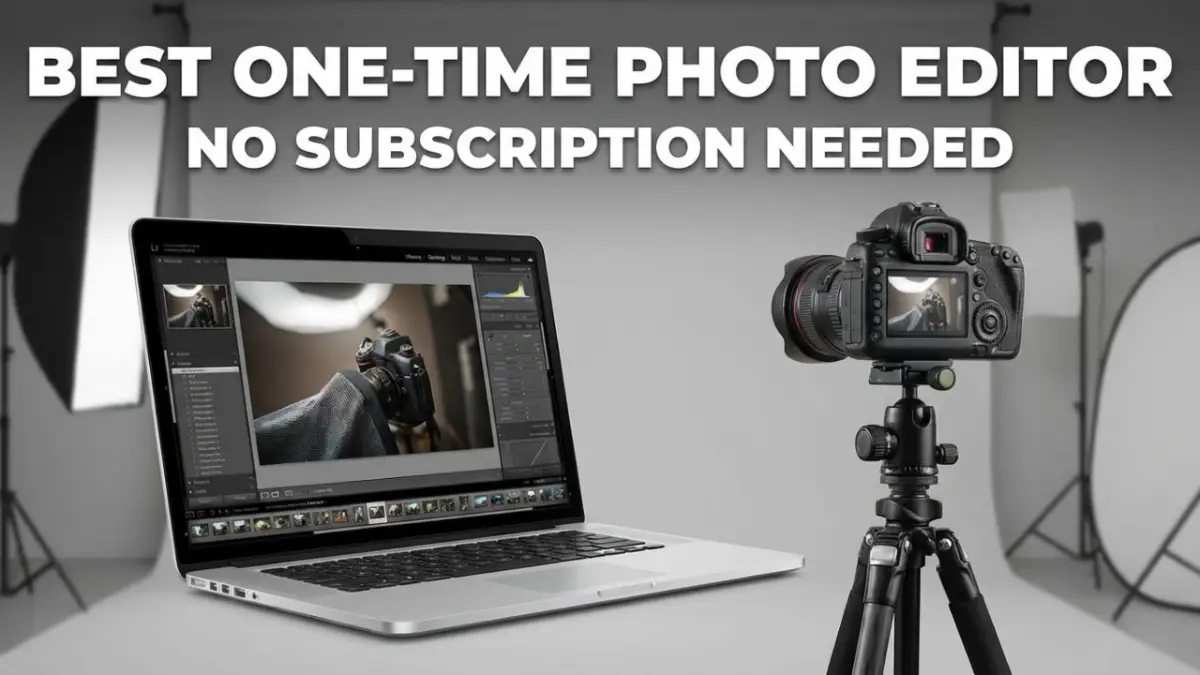
One-Time Purchase Photo Editing Software: Your Complete Guide
December 2, 2025Tired of those monthly fees eating into your budget? Yeah, me too. Adobe's got everyone hooked on subscriptions, but here's the thing – you don't have to play that game. There are some killer photo editors out there that you can buy once and own forever.
I've been down this road myself. Started with Photoshop, watched my credit card get dinged every month, and thought "there's gotta be a better way." Turns out, there is. Let me walk you through the best one-time purchase photo editors that'll save your wallet and still give you professional results.
Why Ditch the Subscription Model?
Let's do some quick math. Adobe's Photography Plan costs $9.99/month. That's $120 a year. Over five years? You're looking at $600. And what happens if you stop paying? Bye-bye access to your work.
With one-time purchases, you pay once, and you're done. No monthly stress, no losing access, no surprise price hikes. Plus, you can use the software as long as you want without worrying about internet connections or Adobe's servers going down.
What You'll Get Without Subscriptions
Most one-time photo editors today pack serious punch. We're talking AI-powered tools, professional RAW processing, and features that would make Adobe jealous. The key is finding the right fit for your style and needs.
Whether you're into portrait retouching, landscape photography, or just want to make your vacation photos pop, there's something here for you. And the best part? Most offer free trials, so you can test-drive before you buy.
The Heavy Hitters: Professional Options
Affinity Photo
This one's a real Photoshop killer. Serif (the company behind it) built Affinity Photo from the ground up to compete with Adobe, and honestly? They nailed it.
Features: You get everything – layers, masks, RAW processing, HDR merging, panorama stitching, and even PSD file support. The AI selection tools are surprisingly smart, and the interface feels familiar if you're coming from Photoshop.
Price: $69.99 for single platform or $169.99 for the Universal License (covers Mac, Windows, and iPad)
Download: affinity.serif.com
Better For: Designers, photographers, and anyone who needs serious editing power without the subscription headache
Pros:
- No subscription ever
- Handles huge files without breaking a sweat
- Regular free updates
- iPad version is actually usable
- Supports pretty much every file format you can think of
Cons:
- No photo management (you'll need something else for organizing)
- Learning curve if you're coming from simpler editors
- Can feel overwhelming for casual users
- Some advanced features are buried in menus
Capture One
The pro's choice. This is what fashion photographers and studios use when they need perfect colors and tethered shooting. It's pricey, but if you're serious about photography, it's worth every penny.
Features: Tethered shooting, incredible color grading tools, AI masking, layers, and the best RAW processing you'll find anywhere. The session-based workflow is perfect for studio work.
Price: $299 for perpetual license (upgrades cost extra)
Download: captureone.com
Better For: Studio photographers, fashion shooters, and anyone who needs perfect color accuracy
Pros:
- Best-in-class color science
- Excellent tethering support
- Customizable workspace
- Superior RAW processing
- No monthly fees
Cons:
- Expensive upfront cost
- Steep learning curve
- Limited camera support compared to others
- Upgrades aren't always free
DxO PhotoLab
If you shoot in low light or deal with noisy images, this is your holy grail. DxO's DeepPRIME XD technology is straight-up magic – I've seen ISO 6400 shots that look like they were taken at ISO 400.
Features: Industry-leading noise reduction, automatic lens corrections, AI masking, and tethered shooting. The optical corrections alone are worth the price if you're picky about image quality.
Price: $139 for Essential, $229 for Elite version
Download: dxo.com
Better For: Low-light photographers, wildlife shooters, and image quality perfectionists
Pros:
- Unbeatable noise reduction
- Automatic lens and perspective corrections
- Fast batch processing
- One-time purchase
- Excellent image quality
Cons:
- Interface feels dated
- No mobile version
- Limited organization features
- Expensive for casual users

The Sweet Spot: Mid-Range Options
Luminar Neo
This is where AI meets photography in a big way. Luminar Neo is all about making complex edits simple. Want to replace a boring sky? One click. Remove power lines? Done. It's like having a photo editing assistant.
Features: AI sky replacement, object removal, portrait retouching, layers, and tons of creative effects. The AI tools actually work well, which is rare in this space.
Price: $149 for the base version (extensions cost extra)
Download: skylum.com
Better For: Creative photographers and beginners who want professional results fast
Pros:
- AI tools that actually work
- Intuitive interface
- No subscription required
- 30-day money-back guarantee
- Works as a plugin too
Cons:
- AI can be heavy-handed sometimes
- Weak photo organization
- Slower on older computers
- Extensions add up cost-wise
ON1 Photo RAW
Think of this as the Swiss Army knife of photo editors. It tries to be Lightroom and Photoshop rolled into one, and mostly succeeds. Good bang for your buck if you want everything in one package.
Features: RAW processing, AI masking, noise reduction, HDR, panorama, photo organizer, and mobile sync. Plus it works with over 800 camera models.
Price: $99.99 for the standard version, $149.99 for the MAX bundle
Download: on1.com
Better For: Enthusiasts who want an all-in-one solution without the complexity of pro tools
Pros:
- Good value for money
- All-in-one solution
- Strong AI features
- Mobile app included
- Regular updates
Cons:
- The interface can feel cluttered
- Occasional sync issues
- Performance varies
- Upgrade costs for major versions
Exposure X7
This one's for the film lovers. If you want that authentic vintage look without spending hours tweaking sliders, Exposure X7 delivers. The presets are based on actual film stocks, not just random filters.
Features: 500+ authentic film presets, masking tools, non-destructive editing, basic organization, and GPU acceleration for speed.
Price: $129 one-time purchase
Download: exposure.software
Better For: Portrait and landscape photographers who love the film aesthetic
Pros:
- Authentic film emulation
- Lightweight and fast
- Affordable pricing
- Simple to use
- Great presets
Cons:
- Limited AI features
- Basic photo management
- Not great for heavy retouching
- Fewer modern editing tools
Budget Champions
Corel AfterShot Pro
Don't let the budget price fool you – this one punches above its weight. It's fast, handles batches like a champ, and often goes on sale for ridiculously low prices.
Features: Fast RAW conversion, batch processing, AI masking, HDR support, watermarking, and solid metadata tools.
Price: $79.99 (often on sale for $15-60)
Download: aftershotpro.com
Better For: Volume shooters and budget-conscious photographers
Pros:
- Super fast processing
- Cheap (especially on sale)
- Good batch tools
- Handles metadata well
- Low system requirements
Cons:
- The interface looks dated
- Limited AI features
- No mobile version
- Not great for creative editing
Comparison Table
|
Software |
Price |
Key Strength |
AI Tools |
Organization |
RAW Focus |
Best For |
|
Affinity Photo |
$69.99 |
Layers & compositing |
Good |
None |
Good |
Designers/Pros |
|
Luminar Neo |
$149 |
AI enhancements |
Excellent |
Fair |
Good |
Creatives/Beginners |
|
ON1 Photo RAW |
$99.99 |
All-in-one |
Excellent |
Good |
Excellent |
Enthusiasts |
|
DxO PhotoLab |
$229 |
Noise & optics |
Excellent |
Fair |
Excellent |
Low-light Pros |
|
Exposure X7 |
$129 |
Film emulation |
Fair |
Good |
Good |
Vintage Stylists |
|
Corel AfterShot |
$79.99 |
Batch speed |
Fair |
Good |
Excellent |
Volume Editors |
|
Capture One |
$299 |
Tethering & color |
Good |
Excellent |
Excellent |
Studio Pros |
Common Questions Answered
What's the Best Single Purchase Photo Editor?
Depends on what you need, but for most people, I'd say Affinity Photo. It's got the power of Photoshop at a fraction of the cost. If you're just getting started and want AI help, Luminar Neo is hard to beat. For serious RAW work, DxO PhotoLab is the champion.
Which Photo Editors Don't Need Subscriptions?
All the ones I've listed here! That's the whole point. ON1 Photo RAW gives you the most complete package, while Corel AfterShot Pro won't break the bank. Pick based on your needs and budget.
Is ON1 Photo RAW Really a One-Time Purchase?
Yep, $99.99 gets you the software forever. You'll get free updates throughout the year, but major version upgrades might cost extra. Still way cheaper than monthly subscriptions.
What's the Easiest Photo Editor to Use?
Luminar Neo wins this one. The AI tools do most of the work for you. Just point, click, and watch the magic happen. Exposure X7 is also super simple if you just want to apply film looks to your photos.
My Honest Take
Look, subscriptions aren't evil, but they're not for everyone. If you're a weekend photographer who just wants to make their photos look better, why pay every month for features you'll never use?
For most people, I'd recommend starting with Affinity Photo. It's powerful enough for professional work but won't overwhelm beginners. The learning curve is there, but YouTube tutorials will get you up to speed.
If you're into the creative AI stuff, Luminar Neo is fantastic. Just don't expect it to replace a full photo organizer – you'll still need something else to manage your library.
And if you're on a tight budget? Wait for Corel AfterShot Pro to go on sale. I've seen it as low as $15, and at that price, it's a steal.
Bottom Line
These one-time purchase editors prove you don't need to rent your software forever. Whether you're a beginner or a pro, there's something here that'll fit your workflow and budget.
Try the free trials. Most offer 7-30 days to test things out. See what feels right, then make the purchase. Your wallet will thank you, and you'll sleep better knowing you own your tools.
The subscription model isn't going anywhere, but neither are these alternatives. Choose freedom. Choose ownership. Your future self will appreciate it.
Recent Posts
Jul 13, 2026
Multi Clipping Path Services for Color Correction and Retouching
Jul 13, 2026
Professional Retouching Services in Dubai vs Basic Photo Editing: What’s the Difference?
Jul 12, 2026
Headshot AI Prompts That Actually Work: Examples for Clean Business Photos
Jul 8, 2026
What Is Product Photography? A Complete Beginner’s Guide
Jul 7, 2026
Best Clipping Path Service Providers: How to Choose the Right One
Fast, Flawless, and Affordable
Ready to Get Pixel-Perfect Results?
Tired of slow, sloppy edits? Upload your first 5 images for free and see the quality firsthand. No commitment, no credit card required.
Free trial — no card needed
4.9 / 5 rating from 500+ reviews
How it works
- 1
Upload your images
Send 5 photos for free
- 2
We edit them
Expert editors deliver in 24hrs
- 3
Review & approve
Love the quality, order more
Avg. turnaround12 - 24 Hours