Back to Blog


Guides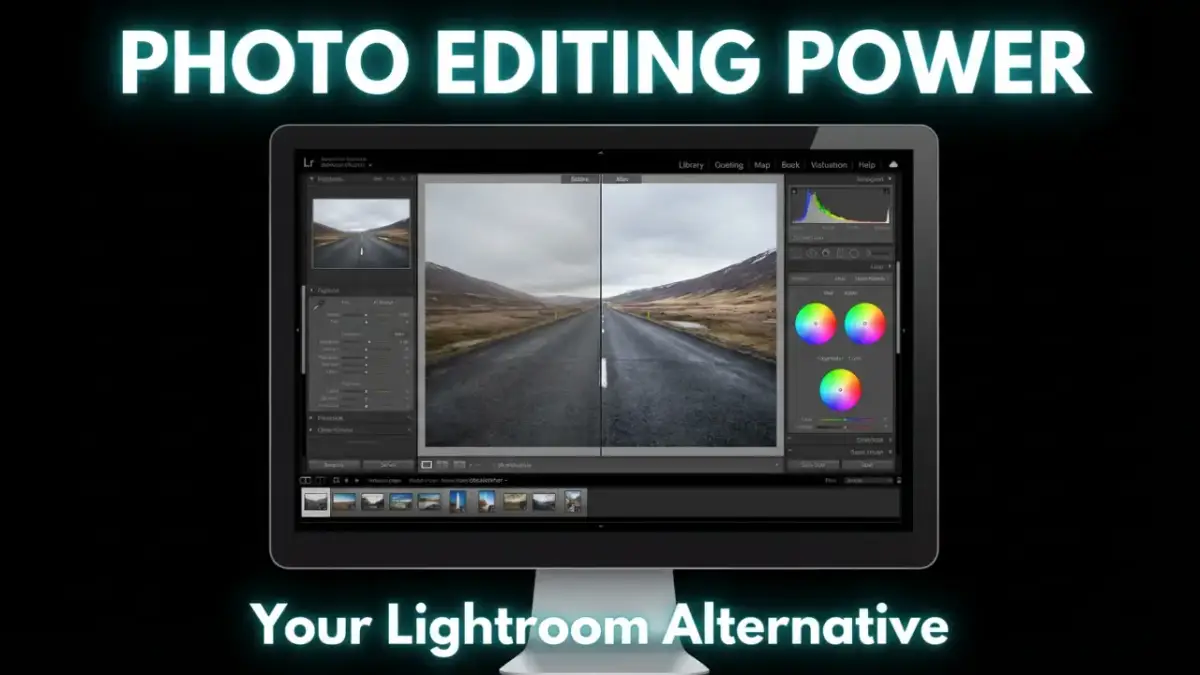
Photo Editing Software Like Lightroom: Your Complete Guide
December 2, 2025Look, we've all been there. You're scrolling through Instagram, see those stunning photos, and think, "How'd they do that?" Well, here's the thing – it's not just about having a fancy camera. The magic happens in post-processing, and that's where photo editing software comes in.
Adobe Lightroom has been the go-to choice for years. But honestly?
Not everyone wants to pay monthly fees forever. Some folks need different features. Others just want something simpler. That's why I've put together this guide to help you find the perfect photo editor for your needs.
What Makes Lightroom So Popular?
Before we dive into alternatives, let's talk about why Lightroom became such a big deal. It's like the Swiss Army knife of photo editing – does a bit of everything pretty well.
Lightroom shines with its RAW processing. You know those flat, boring photos straight from your camera? Lightroom brings them to life. Plus, it's got this neat trick where it doesn't mess with your original files. Everything you do is reversible.
The AI stuff is pretty cool too. Need to select the sky? Boom, done in one click. Want to remove that random person in the background? The new Generative Remove tool handles it. And don't get me started on the mobile app – being able to edit on your phone and have it sync everywhere? That's neat.
But here's the catch – it'll cost you $9.99 every month. Forever.
That adds up to about $120 a year. Ouch.
What's great about Lightroom:
- Works with almost any camera's RAW files
- AI tools that actually save time
- Syncs between your computer, tablet, and phone
- Tons of presets to get you started
- Great for organizing thousands of photos
What's not so great:
- Monthly subscription (no way around it)
- Can get slow with huge photo libraries
- Learning curve is steeper than you'd think
- The cloud version needs the internet for the best features

The Heavy Hitters: Professional Alternatives
Capture One
If you're serious about photography, I'm talking studio work, fashion shoots, tethered shooting – Capture One might be your jam. It's what many pros use when they need pixel-perfect color accuracy.
The color tools are insane. Want to adjust just the skin tones without touching anything else? Easy. Need to fine-tune that red dress without affecting the roses in the background? No problem.
Price: $299 one-time purchase (yeah, it's pricey upfront)
Best for: Studio photographers and anyone who needs perfect colors
Pros:
- Color accuracy that'll make you weep
- Works great with tethered shooting
- No monthly fees
- Customizable workspace
Cons:
- Steep learning curve
- Expensive upfront cost
- Not as many supported cameras as Lightroom
- The interface can feel overwhelming at first
DxO PhotoLab
Here's something interesting – DxO might just have the best noise reduction out there. If you shoot a lot in low light or push your ISO settings, this could be a game-changer.
I've seen photos shot at ISO 6400 that looked like they were taken at ISO 800 after DxO's DeepPRIME worked its magic. It's genuinely impressive.
Price: $229 for the standard version, $349 for Elite.
Best for: Low-light photographers and anyone dealing with noisy images
Pros:
- Best-in-class noise reduction
- Automatic lens corrections
- One-time purchase
- Fast processing
Cons:
- Basic organization features
- Interface feels a bit dated
- No mobile app
- Expensive for casual users

Budget-Friendly Options That Don't Suck
Affinity Photo
This one's a steal at $70. It's more like Photoshop than Lightroom, but it handles RAW files just fine. The company behind it (Serif) really knows what they're doing.
What I love about Affinity is that it doesn't treat you like you're stupid. It gives you professional tools without the monthly subscription nonsense.
Price: $69.99 one-time.
Best for: People who want Photoshop-like features without the subscription
Pros:
- No subscription ever
- Powerful layer system
- Regular updates
- Available on desktop and mobile
Cons:
- No photo library management
- Steeper learning curve for beginners
- More focused on editing than organizing
ON1 Photo RAW
ON1 is trying to be everything – organizer, editor, effects processor. Sometimes that works, sometimes it doesn't. But their AI sky replacement tool? Pretty slick.
The mobile version is actually decent too. You can start editing on your phone during your commute and finish on your computer at home.
Price: $99.99 one-time or $7.99/month subscription.
Best for: Photographers who want AI-powered creative effects
Pros:
- One-time purchase option
- Good mobile app
- AI tools for creative effects
- Includes organization features
Cons:
- Can feel bloated with features
- Performance issues on older computers
- Not as polished as Lightroom
Free Options (Yes, Really Free)
GIMP
Don't let the weird name fool you – GIMP is seriously powerful. It's been around forever and has a huge community behind it. Think of it as a free Photoshop alternative.
Sure, the interface looks like it's from 2005, but once you get used to it, you can do pretty much anything. Plus, there are tons of YouTube tutorials to help you out.
Price: Free (open source)
Best for: People who need powerful editing tools but have zero budget
Pros:
- Completely free
- Very powerful
- Huge plugin ecosystem
- Cross-platform
Cons:
- Interface needs work
- Steep learning curve
- No photo management
- Can feel overwhelming
Darktable
This is the closest free alternative to Lightroom you'll find. It's made by photographers, for photographers. The RAW processing is top-notch, and it has more adjustment options than you can shake a stick at.
Fair warning, though – it's not exactly user-friendly. You'll need to watch some tutorials and be patient with yourself.
Price: Free (open source)
Best for: Tech-savvy photographers who want professional results without paying
Pros:
- Completely free
- Professional-level RAW processing
- Non-destructive editing
- Active community
Cons:
- Confusing interface
- No mobile app
- Steep learning curve
- Can be slow on older computers
RawTherapee
Another free option that focuses purely on RAW processing. It's got some unique features that even expensive software doesn't have. The highlight recovery tools are particularly impressive.
It's definitely geared toward people who like to tinker and really understand what they're doing to their photos.
Price: Free (open source)
Best for: Photography enthusiasts who love technical control
Pros:
- Free and powerful
- Unique processing algorithms
- Fast once you know what you're doing
- Great for recovering difficult photos
Cons:
- The interface is intimidating
- No photo organization
- Requires technical knowledge
- Limited presets
Mobile-First Options
Polarr
If you do most of your editing on your phone, Polarr might be perfect. It's got a clean interface and some surprisingly powerful tools. The free version is actually pretty capable.
The filters don't look like every other Instagram clone out there, either, which is refreshing.
Price: Free with premium features for $3.99/month.
Best for: Social media photographers and mobile-first users
Pros:
- Great mobile interface
- Affordable premium version
- Works offline
- Good selection of filters
Cons:
- Limited desktop version
- Basic organization
- Some features are locked behind a paywall
Comparison Table
|
Software |
Price (USD) |
Key Strength |
Organization Tools |
AI/Advanced Edits |
Mobile Support |
Best For |
|
Lightroom |
$9.99/mo (sub) |
Cloud sync, AI masking |
Excellent |
Excellent |
Yes |
Pros/enthusiasts |
|
Capture One |
$299 perpetual |
Color accuracy, tethering |
Good |
Good |
No |
Studio pros |
|
ON1 Mobile |
$99.99 one-time |
AI effects, HDR |
Fair |
Good |
Yes |
Mobile creators |
|
Darktable |
Free |
Modular RAW tools |
Good |
Fair |
No |
Tech hobbyists |
|
Luminar Neo |
$149 perpetual |
One-click AI |
Fair |
Excellent |
Yes |
AI beginners |
|
DxO PhotoLab |
$229 perpetual |
Noise reduction, optics |
Fair |
Excellent |
No |
Low-light shooters |
|
RawTherapee |
Free |
Granular tones |
Poor |
Fair |
No |
Manual tweakers |
|
Affinity Photo |
$69.99 one-time |
Layers, compositing |
None |
Good |
Yes |
Designers |
|
LightZone |
Free |
Zone editing |
Poor |
Fair |
No |
B&W artists |
|
Photoshop |
$20.99/mo (sub) |
Pixel manipulation |
None |
Excellent |
Yes |
Retouchers |
|
Polarr |
Free/Pro $3.99/mo |
Filters, mobile |
Fair |
Good |
Yes |
Social editors |
|
Apple Photos |
Free |
Memories, sync |
Good |
Basic |
Yes |
Apple casuals |
|
Corel AfterShot |
$79.99 one-time |
Batch processing |
Good |
Fair |
No |
Volume editors |
|
digiKam |
Free |
Metadata tagging |
Excellent |
Basic |
No |
Library managers |
|
Paint.NET |
Free |
Simple layers |
None |
Basic |
No |
Quick tweaks |
|
Photopea |
Free/Premium $5/mo |
PSD web edits |
None |
Good |
Browser |
Web users |
|
Photoscape X |
Free/Pro $39.99 |
Collages, GIFs |
Fair |
Basic |
Yes |
Fun creators |
|
Chasys Draw IES |
Free |
Animation, RAW viewer |
Poor |
Fair |
No |
Animators |
|
Exposure |
$129 perpetual |
Film presets |
Fair |
Good |
No |
Film emulators |
|
GIMP |
Free |
Advanced retouching |
None |
Good |
No |
Compositors |
|
Microsoft Photos |
Free |
Basic AI, OneDrive |
Good |
Basic |
Yes |
Windows casuals |
Quick Comparison: What Should You Choose?
Here's the thing – there's no "best" photo editor. It depends on what you need:
Choose Lightroom if:
- You want the most complete package
- Mobile syncing is important
- You don't mind monthly payments
- You need reliable customer support
Choose Capture One if:
- You're a professional photographer
- Color accuracy is critical
- You prefer one-time purchases
- You do a lot of tethered shooting
Choose DxO PhotoLab if:
- You shoot a lot in low light
- Lens corrections are important
- You want the best noise reduction
- You prefer one-time purchases
Choose Affinity Photo if:
- You need powerful editing tools
- You don't need photo organization
- You want a one-time purchase
- You're comfortable with complex software
Choose free options (GIMP, Darktable) if:
- Budget is tight
- You enjoy learning complex software
- You don't need mobile syncing
- You have time to invest in tutorials
My Honest Take
Look, Lightroom is popular for good reasons. It works well, gets regular updates, and handles most photography needs. But that subscription model? It's not for everyone.
If you're just getting started, try the free options first. Darktable and RawTherapee will teach you a lot about photo editing, even if they're not the prettiest to look at.
For working photographers who need reliability and support, Capture One or DxO might be worth the investment. You'll pay more upfront, but no monthly bills.
And if you're mainly editing on your phone? Don't overthink it. Polarr or even your phone's built-in editor might be all you need.
The best photo editing software is the one you'll actually use. Don't get caught up in having every possible feature – most of us use about 20% of what's available anyway.
Try a few options. Most offer free trials. See what clicks with your workflow and your budget. Remember, great photos come from understanding light, composition, and storytelling first. The software just helps you get there.
And hey, you can always change your mind later. Photos don't expire, and your skills will transfer between different programs. The important thing is to start editing and keep learning.
What photo editing software are you currently using? Drop a comment and let me know what's working (or not working) for you!
Recent Posts
Jul 13, 2026
Multi Clipping Path Services for Color Correction and Retouching
Jul 13, 2026
Professional Retouching Services in Dubai vs Basic Photo Editing: What’s the Difference?
Jul 12, 2026
Headshot AI Prompts That Actually Work: Examples for Clean Business Photos
Jul 8, 2026
What Is Product Photography? A Complete Beginner’s Guide
Jul 7, 2026
Best Clipping Path Service Providers: How to Choose the Right One
Fast, Flawless, and Affordable
Ready to Get Pixel-Perfect Results?
Tired of slow, sloppy edits? Upload your first 5 images for free and see the quality firsthand. No commitment, no credit card required.
Free trial — no card needed
4.9 / 5 rating from 500+ reviews
How it works
- 1
Upload your images
Send 5 photos for free
- 2
We edit them
Expert editors deliver in 24hrs
- 3
Review & approve
Love the quality, order more
Avg. turnaround12 - 24 Hours