Back to Blog

Informative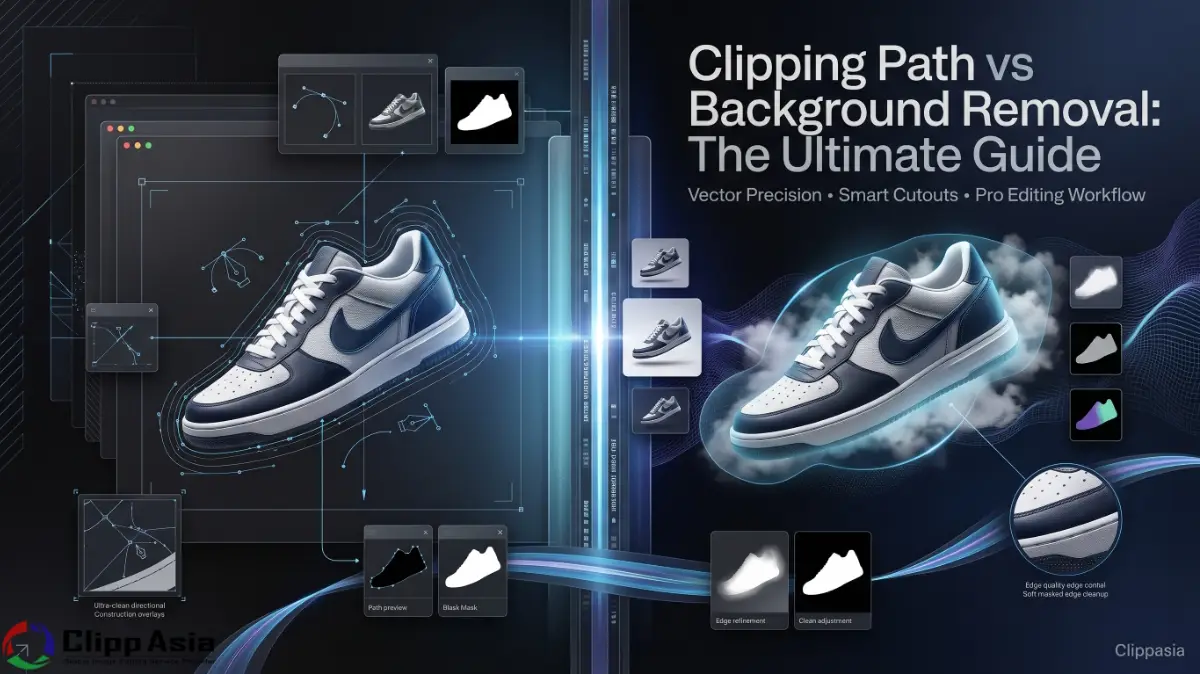
Clipping Path vs Background Removal: The Ultimate Guide
April 15, 2026This guide clarifies the core differences between clipping path and background removal techniques. You will learn how manual deep etching provides superior edge quality for professional product cutouts. We compare the precision of a vector clipping path against automated background removal tools. Our expert analysis helps U.S. e-commerce brands choose the right editing workflow for their needs. Discover how to enhance your product photos for maximum sales and professional appeal.
Why Is the Choice of Clipping Path vs Background Removal Important?
You likely feel frustrated when your product photos look cheap or jagged. This often happens when you use low-end background removal tools for complex items. Jagged lines and blurry borders tell shoppers that your brand lacks professionalism. You lose sales because customers cannot see the fine details of your goods. A poor clipping path vs background removal choice creates a messy digital storefront. Many U.S. retailers struggle with halo effects around their primary subjects during export. You need a clean, sharp look to compete in the busy Amazon marketplace.
Your biggest pain point is likely the time spent fixing bad edits. Automated image selection tools often fail on products with fur or hair. They leave behind unwanted pixels that distract the eye and look fake. You want your clipping path to look as natural as possible every time. Inconsistent deep etching makes your catalog look disorganized and unprofessional to buyers. Choosing between a clipping path vs background removal determines your long-term brand identity. We solve these issues by providing hand-drawn precision for every single image. Your workflow becomes faster when you trust experts to handle the heavy lifting. Learn More about our Clipping Path and Background Removal Services.
What Makes a Vector Clipping Path Better for Your Brand?
A vector clipping path offers unparalleled flexibility for your high-resolution marketing materials. Our experts use the Photoshop Pen Tool to trace every curve manually. This deep etching technique ensures that your edges stay sharp at any size. You can scale your product cutouts for giant billboards without losing any clarity. This is why top U.S. photographers prefer manual paths over quick automated fixes. Understanding clipping path vs background removal helps you maintain a premium aesthetic online.
- Precision Control: You get total control over every anchor point.
- Vector Scaling: Your path remains crisp at any image size.
- Non-Destructive: You can adjust paths without ruining original pixels.
- Smooth Curves: Manual tracing eliminates jagged "staircase" pixel edges.
- Print Ready: High-end magazines require these paths for perfect layouts.
You need a strategy that guarantees consistent results for your entire catalog. Using a manual clipping path is the industry standard for high-end retail. It allows you to separate the object from its environment with surgical precision. This is the "secret sauce" behind those flawless photos on premium websites. When you weigh clipping path vs background removal, consider the final output quality. A path is an investment in your brand's visual long-term success. It ensures that your images look great on mobile and desktop screens. You will see a noticeable difference in how your customers perceive quality. Here is an article about Clipping Path you can check by clicking here.

Technical Differences in Clipping Path vs Background Removal
Background removal is a broad term that covers many different editing techniques. It might involve a clipping path, masking, or using AI-driven software. A clipping path is a specific, closed vector shape made with tools. You use it to tell the software exactly which pixels to keep. The clipping path vs background removal debate often centers on speed versus accuracy. If you have a simple box, an automated tool might work fine. However, a complex bicycle requires the manual touch of a path expert.
Your choice affects how the image handles transparency and reflections in post-production. A path creates a hard edge which is perfect for solid objects. Background removal through masking is better for soft edges like hair or wool. You must decide which method fits the specific texture of your product. Our table below clarifies which service you should select for your needs. We believe in using the right tool for every specific artistic challenge. This ensures your clipping path vs background removal workflow stays efficient and profitable.
|
Feature |
Clipping Path |
Background Removal (Masking) |
|
Edge Type |
Hard, Sharp, Precise |
Soft, Feathered, Complex |
|
Best For |
Solid Products, Shoes, Jewelry |
Clothing, Hair, Fur, Models |
|
Software Tool |
Pen Tool (Vector) |
Brushes, Magic Wand, AI |
|
Scalability |
High (Vector-based) |
Low (Pixel-based) |
E-commerce managers often find that a hybrid approach works best for them. You might use a clipping path for the body of a model. Then, you use advanced masking for the flying strands of their hair. This combination provides the ultimate edge quality for high-fashion catalogs in America. Understanding the nuances of clipping path vs background removal prevents costly editing mistakes. We recommend analyzing your subject before you start the editing process today. This proactive step saves you hours of revisions and frustrated client emails.
How to Select the Correct Clipping Path vs Background Removal Service?
Deciding on a clipping path vs background removal service requires clear goals. You must evaluate the complexity of your subject and your final budget. We suggest starting with a small test to see the results firsthand. Most U.S. businesses find that manual paths provide the best return on investment. Follow these steps to ensure you get the best product cutouts every time.
- Analyze the Subject: Look for hard edges versus fuzzy textures.
- Check Output Needs: Determine if you need transparent PNG files.
- Evaluate Detail: Decide if tiny gaps need to be isolated.
- Consider Shadows: Think about shadow creation for a 3D look.
- Review Sample Quality: Ask for a free trial to check skill.
Your decision impacts the final realism of your website's lifestyle product images. High-quality deep etching allows for seamless placement in various digital environments. If you ignore the clipping path vs background removal choice, your images suffer. Our experts suggest using paths for 90% of standard e-commerce hard goods. This creates a uniform look that shoppers find comforting and very familiar. You want your brand to feel established and highly trustworthy to everyone. Using a clipping path is the fastest way to achieve that professional look. It proves that you care about the small details of your business.

The Role of Edge Quality in Professional Product Cutouts
Your edge quality is the most important factor in a professional edit. It determines if the product looks like it belongs on the page. In the clipping path vs background removal battle, paths usually win for sharpness. A jagged edge makes your product look like a poor digital collage. You want a smooth transition that mimics how a real camera sees. This is especially true for jewelry and small electronics with reflective surfaces.
Our team focuses on the microscopic details of every anchor point for you. We ensure that no "green screen" or background color bleeds into the edges. This is a common issue with cheap background removal tools and software. You need a clean cut to allow for realistic shadow creation later on. Poor edges make shadows look disconnected and fake on your store pages. By mastering clipping path vs background removal, you secure a perfect visual foundation. Your photos will stand out against the competition with a crisp, clear finish.
Complex Transparency and Reflections in Clipping Path vs Background Removal
Items like glassware or sunglasses present unique challenges for product cutouts. You often need to preserve the natural transparency and reflections of the glass. A simple clipping path vs background removal choice might not be enough here. You need advanced masking to keep the highlights while removing the old room. This level of detail requires an expert eye and years of experience. We provide these complex services to ensure your glass products look amazing.
- Glass Transparency: We keep background light visible through the product.
- Reflective Surfaces: Our team cleans studio room reflections properly.
- Color Correction: We ensure product color stays true after extraction.
- Natural Shadows: We recreate light passing through transparent objects.
- Vector Precision: We use paths to define structural edges perfectly.
U.S. photographers often struggle with the "flat" look of isolated glass items. You solve this by using the right clipping path vs background removal blend. We understand how light interacts with different materials in a 3D space. This knowledge allows us to recreate the "soul" of the photo digitally. You get an image that looks like it was shot in a vacuum. Your customers will appreciate the clarity and the premium feel of the shot. It makes your high-end products look expensive and very desirable to buyers. Trusting an expert service ensures that these tricky details are never missed.

Master Shadow Creation to Enhance Your Results
A flat image often lacks the "pop" needed to grab a shopper's attention. Adding shadow creation to your product cutouts provides instant 3D depth and realism. You must decide between natural shadows, drop shadows, or reflection shadows today. This choice should align with the overall look of your brand's website. In the context of clipping path vs background removal, shadows add the final touch. They ground the object and make it feel like a real item.
Shadows also help hide minor imperfections in the original studio lighting setup. Our experts use a vector clipping path to create the initial clean slate. Then, we manually paint the shadow to match the light's direction perfectly. This level of care is why we outrank generic background removal apps. You get a customized look that fits your specific e-commerce store layout. Your products will look like they are floating in a clean, professional space. This enhances the clipping path vs background removal value for your digital brand.
Frequently Asked Questions
How fast is your turnaround for a high-volume clipping path vs background removal order?
We offer a standard 24-hour turnaround for most high-volume e-commerce projects today. Our team works around the clock to ensure you never miss a deadline. You can request 12-hour rush delivery for your most urgent marketing campaigns.
What file formats do you provide for product cutouts and paths?
We provide your files in PSD, TIFF, or PNG formats with active paths. This allows you to use the clipping path in Adobe InDesign or Photoshop easily. You can also request web-optimized JPEG files for your online storefront.
Do you guarantee the edge quality of your manual deep etching?
Yes, we provide a 100% quality guarantee on every single image we process. If the clipping path vs background removal result is not perfect, we fix it. Our reputation is built on delivering high-end, professional results.
Can your background removal tools handle complex items like jewelry or bicycles?
We use a combination of manual paths and advanced masking for complex items. Our experts handle the tiny holes and thin lines that automated software misses. You get a perfect result for even the most difficult products.
Is there a limit to how many image selection tools you use for my project?
We use as many specialized tools as necessary to achieve the best result. Our primary tool is the manual Pen Tool for maximum vector accuracy and detail. We prioritize quality over speed for every clipping path vs background removal task.
Final Thoughts on Clipping Path vs Background Removal for Your Brand
Understanding clipping path vs background removal is the first step toward better photos. You deserve a partner that cares about your edge quality and brand. Our team at ClippAsia provides the most precise manual deep etching available. We help U.S. e-commerce businesses scale their visual content with ease and speed. Trust our experts to deliver flawless product cutouts that drive more sales. We merge technical skill with an artistic eye for every single project.
Don't settle for the blurry results of generic background removal tools anymore. Upgrade your catalog today with a professional vector clipping path from our studio. We offer competitive pricing and a free trial for all new clients. Your success is our mission, and we work hard to earn your trust. Visit clippasia.com to start your first project with our expert team now. You can also email us at info@clippasia.com for a custom bulk quote. We are ready to help you master clipping path vs background removal today.
Website: clippasia.com
Email: info@clippasia.com
Contact: Get a Quote
Recent Posts
Jul 13, 2026
Multi Clipping Path Services for Color Correction and Retouching
Jul 13, 2026
Professional Retouching Services in Dubai vs Basic Photo Editing: What’s the Difference?
Jul 12, 2026
Headshot AI Prompts That Actually Work: Examples for Clean Business Photos
Jul 8, 2026
What Is Product Photography? A Complete Beginner’s Guide
Jul 7, 2026
Best Clipping Path Service Providers: How to Choose the Right One
Fast, Flawless, and Affordable
Ready to Get Pixel-Perfect Results?
Tired of slow, sloppy edits? Upload your first 5 images for free and see the quality firsthand. No commitment, no credit card required.
Free trial — no card needed
4.9 / 5 rating from 500+ reviews
How it works
- 1
Upload your images
Send 5 photos for free
- 2
We edit them
Expert editors deliver in 24hrs
- 3
Review & approve
Love the quality, order more
Avg. turnaround12 - 24 Hours