Back to Blog

Guides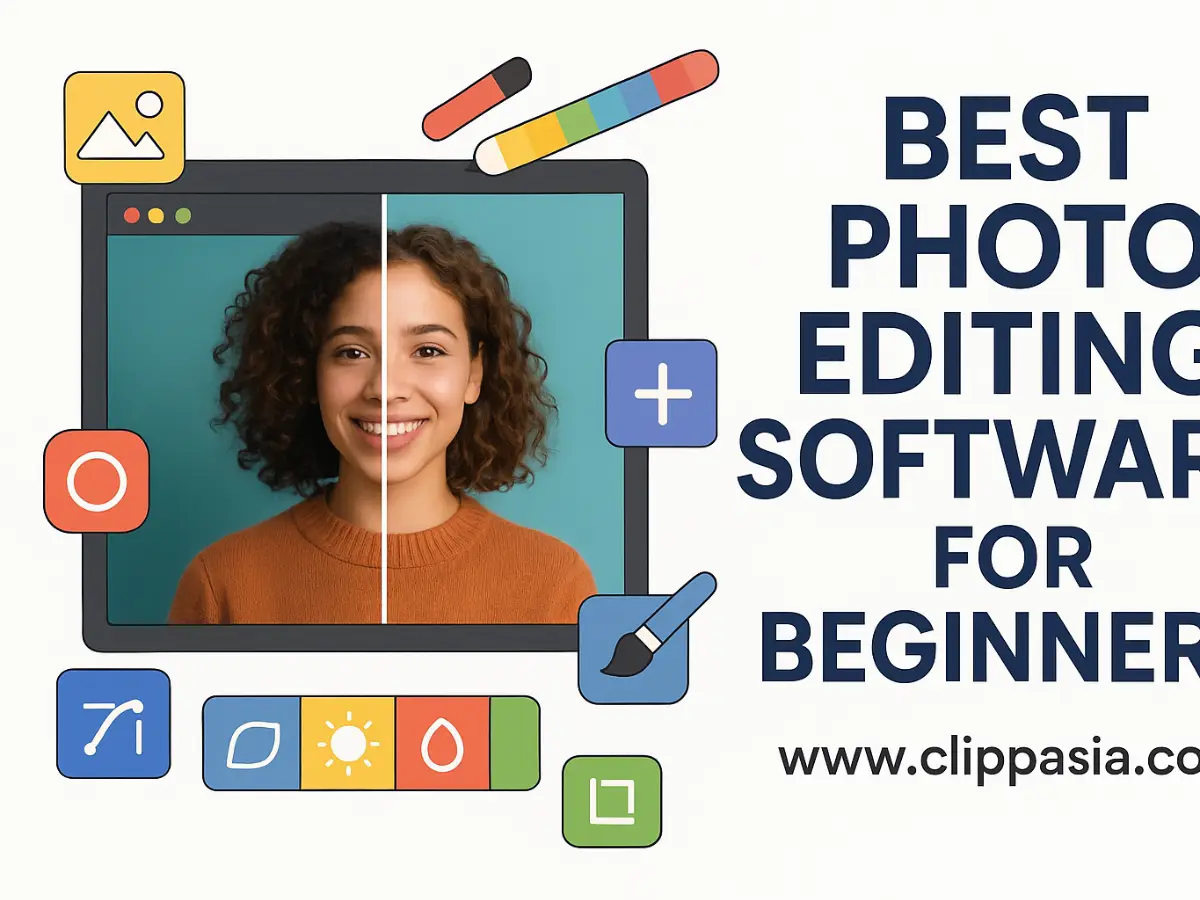
Best Photo Editing Software for Beginners
October 24, 2025Starting with photo editing can feel overwhelming. You've got amazing photos on your phone or camera, but they could look even better with a little touch-up. Maybe the lighting's off, or you want to add some pop to make them Instagram-worthy.
Here's the thing – you don't need to become a Photoshop wizard overnight. The best beginner software makes editing feel natural, not like rocket science. You want tools that help you get great results without spending months figuring out how to crop a photo.
We'll walk you through the easiest, most beginner-friendly photo editing software available. Some are completely free, others cost a bit but offer hand-holding tutorials that make learning painless. By the end, you'll know exactly which one fits your style and budget.
Best Free Photo Editing Software for Beginners
Let's start with the good stuff – powerful photo editing that won't cost you anything. These free options are perfect for getting your feet wet.
Apple Photos (for Mac users)
If you've got a Mac, you already have decent photo editing software. Apple Photos isn't fancy, but it gets the job done beautifully.
What you get: Simple editing tools that make sense instantly. Crop photos, adjust brightness and contrast, apply filters, and organize everything automatically. Plus, your edits sync across all your Apple devices.
Perfect for: Mac users who want to improve their photos without learning complex software.
Pros:
- Already installed on every Mac
- Super easy to learn – most tools are one-click
- Automatically syncs with your iPhone photos
- Clean, simple interface that makes sense
- iCloud keeps everything backed up
Cons:
- Mac and iPhone only
- Limited editing tools compared to dedicated software
- Can't handle complex edits or advanced techniques
Version: Built into macOS (updates automatically) Download: Pre-installed on Mac Price: Free with your Mac Suggested for: Mac beginners who want simple, effective photo improvements
Paint.NET (for PC users)
Think of Paint.NET as the friendly cousin of complicated photo editors. It gives you real editing power without the confusion.
What you get: Clean interface with layers, effects, and all the basic tools you need. It feels like a Windows app should – familiar and straightforward.
Perfect for: PC users who want more control than basic photo viewers offer but don't need professional complexity.
Pros:
- Free and always will be
- Easy to learn – you'll be editing in minutes
- Fast performance on any PC
- Great community plugins add extra features
- Feels right at home on Windows
Cons:
- Windows only (but that's fine if you're on PC)
- Limited advanced features for complex projects
- Interface looks a bit dated compared to newer apps
Version: Paint.NET 5.0.12 Download: getpaint.net Price: Free (donations appreciated) Suggested for: PC beginners who want reliable, easy-to-use photo editing tools
Pixlr (Free Version)
Modern photo editing that works in your web browser. No downloads, no installation – just open and start editing.
What you get: Smart tools that can remove backgrounds, apply filters, and fix common photo problems automatically. Plus templates that make creating graphics super easy.
Perfect for: Anyone who wants quick, professional-looking results without learning complicated software.
Pros:
- Works in any web browser – no software to install
- Modern, intuitive interface
- AI tools handle complex stuff automatically
- Great for social media content
- Works on phones, tablets, and computers
Cons:
- Needs internet connection to work
- Best features require premium upgrade
- Limited control for advanced users
- Free version has storage limits
Version: Web-based (always current) Download: pixlr.com Price: Free tier available, premium starts at $4.90/month Suggested for: Beginners who want modern, AI-assisted editing tools
Canva (Free Photo Editor)
Not just for designing – Canva's photo editing tools are surprisingly good for quick fixes and social media prep.
What you get: Drag-and-drop editing with thousands of templates, basic photo adjustments, and text overlay tools. It's designed to make anyone look like a design pro.
Perfect for: Complete beginners who want to create social media graphics with light photo editing.
Pros:
- Incredibly easy for complete beginners
- Huge library of templates saves tons of time
- Great for social media content
- Works in browser or mobile app
- Free version is actually useful
Cons:
- Limited photo editing compared to dedicated software
- Template-focused rather than photo-focused
- Free version has storage and download limits
- Can feel restrictive for serious photo work
Version: Web-based and mobile apps (always updated) Download: canva.com Price: Free plan available, Pro starts at $14.99/month Suggested for: Complete beginners who want to create graphics with basic photo editing
Best Paid Photo Editing Software for Beginners
Ready to invest a little money? These paid options offer more features and better guidance for beginners.
Pixelmator Pro (Mac-exclusive)
Built exclusively for Mac and designed like Apple made it themselves. This app feels perfectly at home on your Mac.
What you get: Beautiful interface with AI-powered tools, layers, and advanced features that don't feel intimidating. It's like having a personal photo editing tutor.
Perfect for: Mac users who want professional power in beginner-friendly packaging.
Pros:
- Designed exclusively for Mac – feels native
- Beautiful, intuitive interface
- AI tools make complex edits simple
- Great performance on Apple Silicon Macs
- One-time purchase – no subscriptions
Cons:
- Mac only (obviously)
- Fewer tutorials compared to mainstream software
- Limited plugins compared to bigger apps
Version: Pixelmator Pro 3.4.9 Download: Mac App Store or pixelmator.com Price: $39.99 one-time purchase Suggested for: Mac beginners ready to invest in quality, user-friendly software
Adobe Photoshop Elements
Think of this as Photoshop's friendly younger sibling. All the power, but with training wheels and helpful guides.
What you get: Guided edits that walk you through complex techniques step-by-step. One-click effects, templates, and automated tools that produce professional results.
Perfect for: Beginners who want to grow into more advanced editing but need guidance getting there.
Pros:
- Guided edits teach you as you work
- Based on Photoshop – skills transfer to full version
- Works on both Windows and Mac
- One-time purchase – no monthly fees
- Great tutorials and help system
Cons:
- More expensive than other beginner options
- Still complex compared to simpler alternatives
- Limited compared to full Photoshop
- Interface can feel overwhelming initially
Version: Photoshop Elements 2024 Download: adobe.com/products/photoshop-elements Price: $99.99 one-time purchase (often on sale) Suggested for: Beginners who want to learn proper photo editing techniques with guidance
Corel PaintShop Pro
Affordable photo editing designed specifically for Windows users. It knows how to work with your PC.
What you get: User-friendly interface with AI-powered tools, tutorials for beginners, and professional features you can grow into over time.
Perfect for: PC users who want capable software at a reasonable price.
Pros:
- Much more affordable than Adobe alternatives
- Designed specifically for Windows
- Good balance of beginner-friendly and advanced features
- One-time purchase model
- Includes helpful tutorials
Cons:
- Interface feels less modern than competitors
- Smaller community means fewer learning resources
- Updates less frequent than subscription software
Version: Corel PaintShop Pro 2024 Download: paintshoppro.com Price: $79.99 one-time (frequently discounted to $49.99) Suggested for: PC beginners who want affordable, capable software with room to grow
Luminar Neo
AI does the work while you focus on creativity. This software makes professional editing feel effortless.
What you get: Smart tools that can replace skies, retouch portraits, and apply artistic effects automatically. Perfect for beginners who want amazing results without learning complex techniques.
Perfect for: Beginners who want professional-looking photos without spending time on technical details.
Pros:
- AI tools handle complex edits automatically
- Preset-based editing makes results predictable
- Works on both Windows and Mac
- Great for landscape and portrait photography
- User-friendly interface
Cons:
- Less control for users who want manual adjustments
- AI doesn't always produce perfect results
- Subscription model for latest features
- Limited for non-photography projects
Version: Luminar Neo 1.15.0 Download: skylum.com/luminar Price: $199 one-time or $79/year subscription Suggested for: Photography beginners who want AI-assisted editing and professional results
Comparison of Free vs. Paid Photo Editing Software for Beginners
|
Software |
Pricing |
Key Features |
Best For |
Platform |
Learning Curve |
Main Limitations |
|
Apple Photos |
Free |
Basic edits, iCloud sync |
Mac casual users |
Mac only |
Very easy |
Limited features |
|
Paint.NET |
Free |
Layers, effects, plugins |
PC beginners |
Windows only |
Easy |
Basic features |
|
Pixlr |
Free/Premium |
AI tools, browser-based |
Social media creators |
Cross-platform |
Very easy |
Internet required |
|
Canva |
Free/Premium |
Templates, drag-and-drop |
Graphics beginners |
Cross-platform |
Very easy |
Limited photo editing |
|
Pixelmator Pro |
$39.99 one-time |
AI tools, Mac-native |
Mac users |
Mac only |
Easy |
Mac exclusive |
|
Photoshop Elements |
$99.99 one-time |
Guided edits, templates |
Learning-focused beginners |
Windows/Mac |
Moderate |
Still complex |
|
PaintShop Pro |
$79.99 one-time |
Tutorials, Windows-native |
PC budget users |
Windows only |
Easy |
Less modern |
|
Luminar Neo |
$199 one-time/$79 yearly |
AI automation, presets |
Photography beginners |
Windows/Mac |
Easy |
Limited manual control |
Key Differences
Money matters most for beginners. Free options like Apple Photos and Pixlr let you learn without financial pressure. Paid software offers better guidance and more advanced features as you grow.
Ease of use varies widely. Free tools often focus on simplicity but might lack guidance. Paid options typically include tutorials, guided modes, and hand-holding features perfect for beginners.
Platform choice affects options. Mac users get Apple Photos free and can add Pixelmator Pro affordably. PC users have Paint.NET free and PaintShop Pro as a budget paid option.
Learning support makes a difference. Paid software generally offers better tutorials, customer support, and learning resources. Free tools rely on YouTube videos and community forums.
How to Choose the Right Photo Editing Software for Beginners
Start with your comfort level. Never touched photo editing before? Apple Photos, Pixlr, or Canva ease you in gently. Ready for more control? Paint.NET or Pixelmator Pro offer power without overwhelming complexity.
Think about your goals. Quick social media fixes? Pixlr or Canva work perfectly. Want to learn proper photo editing? Photoshop Elements teaches you correctly from the start.
Consider your budget. Tight finances? Free options are genuinely useful and let you learn without pressure. Ready to invest? Paid software offers better guidance and grows with your skills.
Check your devices. Mac user? Apple Photos is already there, and Pixelmator Pro feels native. PC user? Paint.NET is free and PaintShop Pro offers good value. Want flexibility? Browser-based options like Pixlr work anywhere.
Look for learning resources. Prioritize software with good tutorials or active communities. Getting stuck without help kills motivation fast.
Try before committing. Start with free versions or trials. You'll quickly discover what feels natural and what frustrates you.
Tips for Beginners Using Photo Editing Software
Start simple and build up. Don't jump into complex projects right away. Master cropping, brightness, and contrast first. Everything else builds from these basics.
Use built-in help. Many apps include guided tutorials or tip pop-ups. Don't skip these – they're designed to get you comfortable quickly.
Find good YouTube channels. Search for "[software name] beginner tutorial" and you'll find step-by-step guides. Watch a few to find teachers whose style clicks with you.
Try templates and presets first. Most beginner software includes one-click improvements. Use these to see what's possible, then learn to recreate the effects manually.
Save your work properly. Always save in the software's native format if you plan to edit later. Export to JPG when you're finished and ready to share.
Practice with photos you don't mind messing up. Don't start with your most precious memories. Use random photos to experiment and learn without pressure.
Join beginner communities. Reddit groups like r/PhotoEditing welcome questions from newcomers. Facebook groups for specific software offer tips and encouragement.
Conclusion
Photo editing doesn't have to be intimidating. The right beginner software makes improving your photos feel natural and fun, not like work.
For most beginners: Start with what you already have. Mac users should try Apple Photos first – it's free and surprisingly capable. PC users can download Paint.NET and start editing immediately.
For social media creators: Pixlr or Canva offer modern interfaces and smart tools that create professional-looking content quickly.
For serious beginners: Pixelmator Pro (Mac) or Photoshop Elements (PC/Mac) provide professional power with beginner-friendly guidance.
For budget-conscious learners: Free options are genuinely useful. Don't feel pressured to buy software until you understand what you need.
The most important step is starting. Pick any software from this list, download it, and open your first photo. You'll be surprised how quickly you pick up the basics and start creating images you're proud to share.
Remember – every expert was once a beginner who decided to try something new. Your photo editing journey starts with that first click.
Recent Posts
Jul 13, 2026
Multi Clipping Path Services for Color Correction and Retouching
Jul 13, 2026
Professional Retouching Services in Dubai vs Basic Photo Editing: What’s the Difference?
Jul 12, 2026
Headshot AI Prompts That Actually Work: Examples for Clean Business Photos
Jul 8, 2026
What Is Product Photography? A Complete Beginner’s Guide
Jul 7, 2026
Best Clipping Path Service Providers: How to Choose the Right One
Fast, Flawless, and Affordable
Ready to Get Pixel-Perfect Results?
Tired of slow, sloppy edits? Upload your first 5 images for free and see the quality firsthand. No commitment, no credit card required.
Free trial — no card needed
4.9 / 5 rating from 500+ reviews
How it works
- 1
Upload your images
Send 5 photos for free
- 2
We edit them
Expert editors deliver in 24hrs
- 3
Review & approve
Love the quality, order more
Avg. turnaround12 - 24 Hours